
CRM Guide for Consultants: Operations. Part 2
Project: Management and Operations
Initiating an engagement
The engagement process is typically initiated by the nonprofit organization (grantee).
Grantees have access to the consultant database and review profiles to identify the most suitable experts to contact. The grantee is entirely in the driving seat and makes the final decision on whom to reach out to. While the Nonprofit Builder may recommend a few experts, we do not influence the final decision.
Please note that a nonprofit organization might contact several experts to determine the best fit for their request.
The consultant will receive an email notification indicating that the grantee [xxx] has requested a meeting.
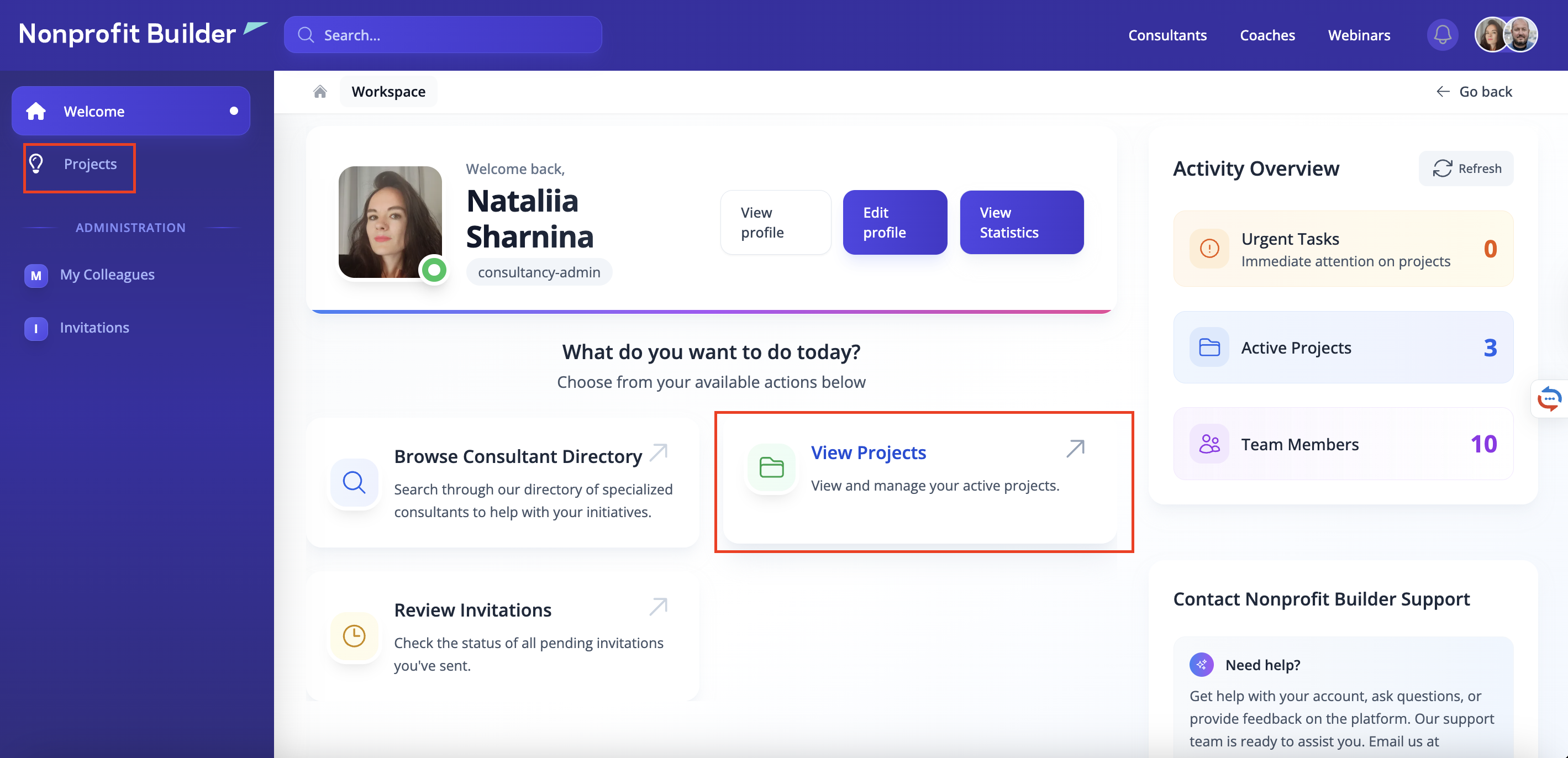
All current requests and ongoing activities can be accessed by the consultant within their profile. The consultant should follow these steps to find the project:
Log in to the platform.
Navigate to the Projects section.
Locate the specific project within the displayed list.
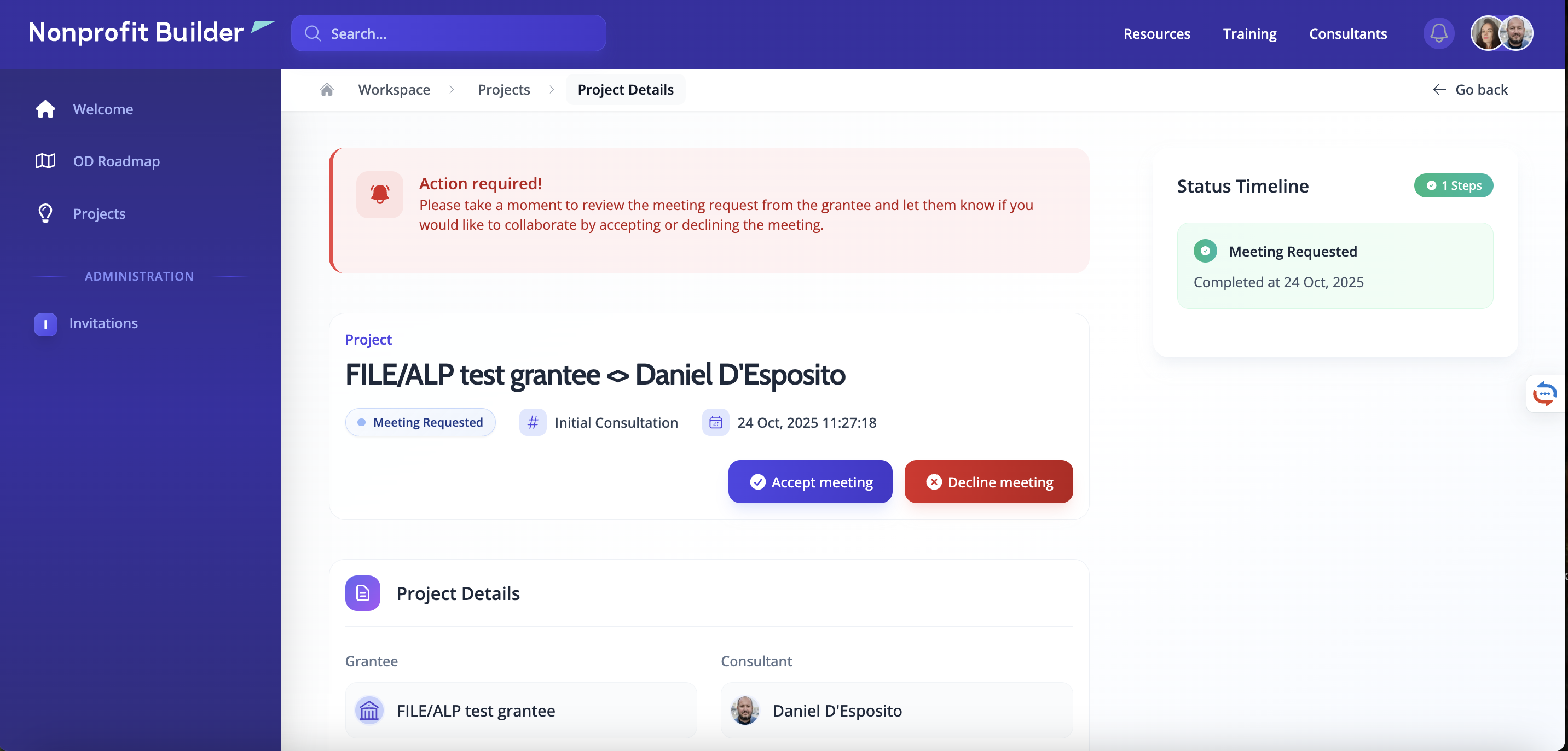
Accept the meeting or decline it
The consultant may accept the meeting request if they confirm they possess the necessary expertise and knowledge and are available for the engagement. If the request is accepted, the consultant should reach out to the nonprofit organization as soon as possible to agree upon a day and time for the initial conversation.
Conversely, the consultant will decline the invitation if their schedule is fully booked for the upcoming weeks or if they determine the request falls outside of their primary area of expertise.
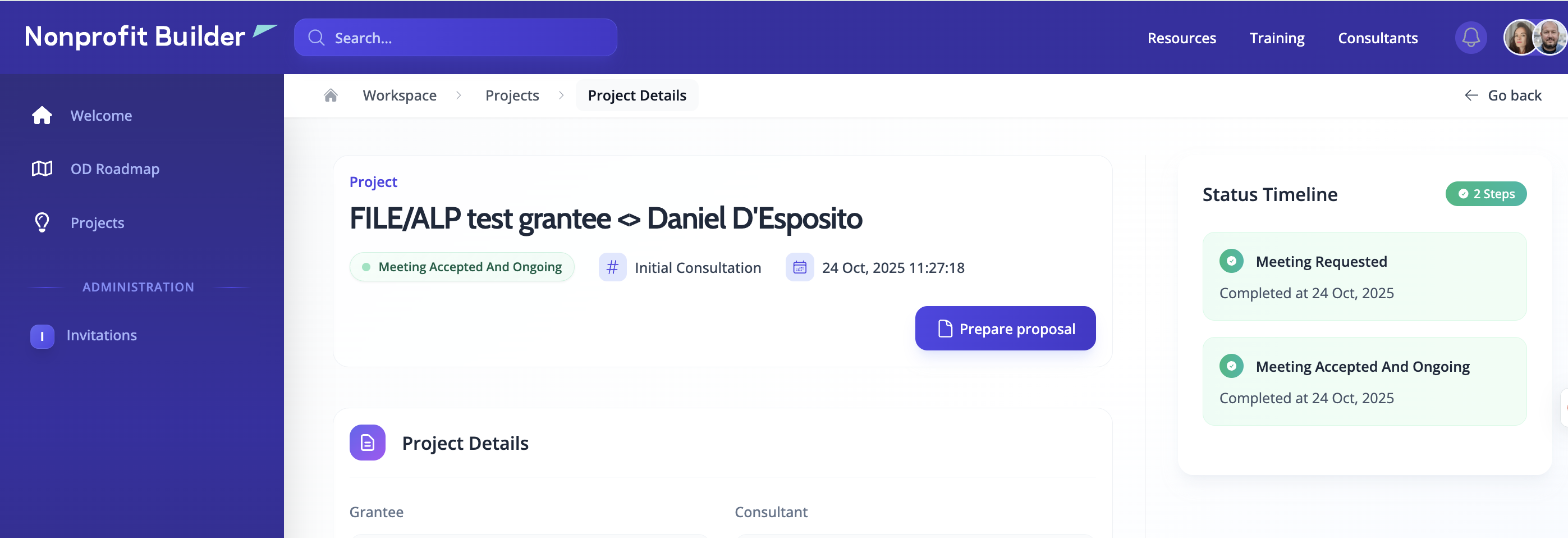
Starting preparing a proposal
Following the initial consultation, the grantee will make a selection and inform the chosen expert of their decision. At this point, the consultant can begin preparing the Statement of Work (SOW), which serves as the formal proposal.
To initiate the proposal process, the consultant should follow these steps:
Log in to the platform.
Navigate to the Projects page.
Open the specific engagement.
Click the "Prepare proposal" button.
Fill in the necessary details.
Submit the proposal.
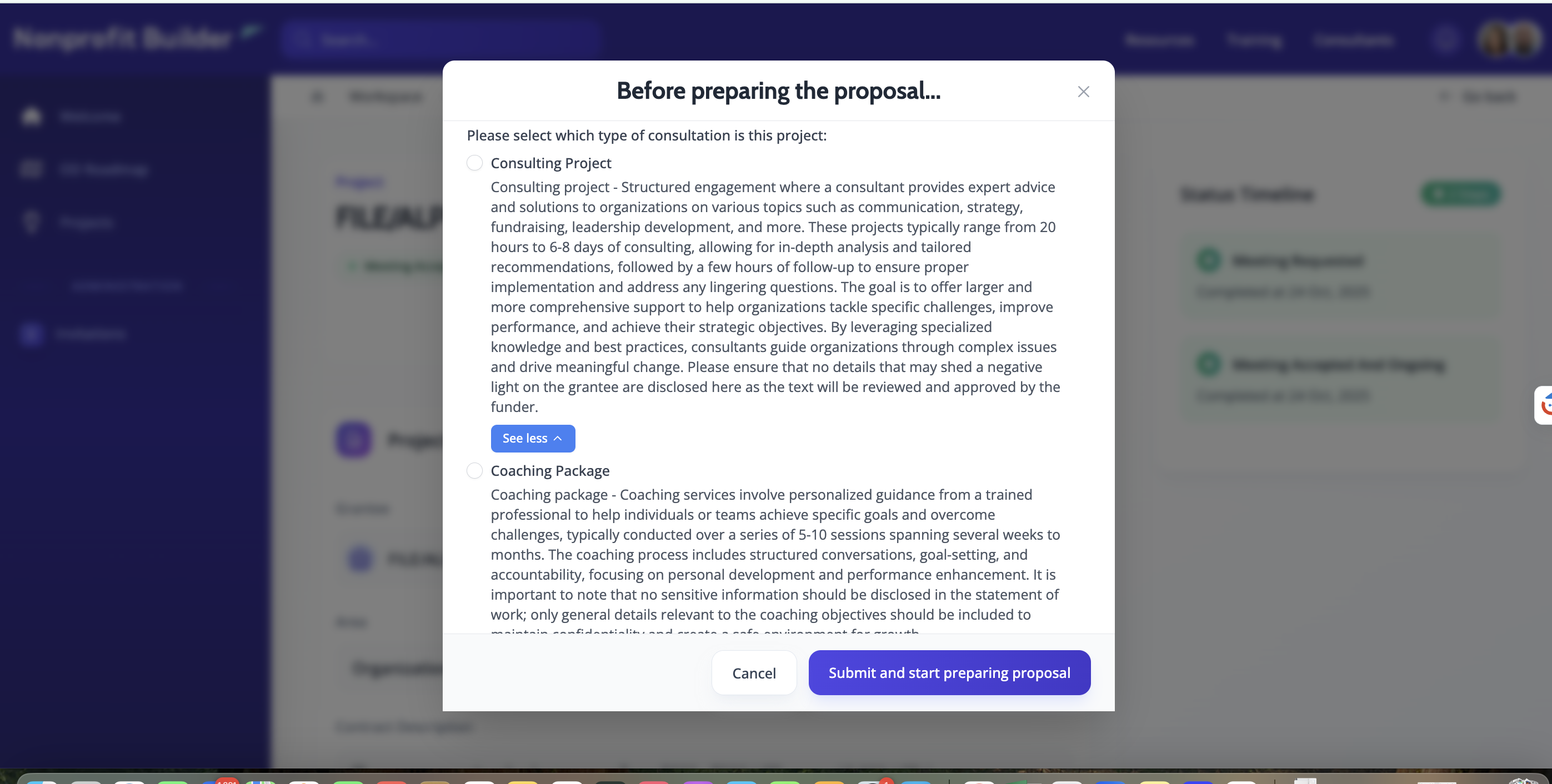
After the consultant clicks the button "Prepare Proposal", the system will ask them if this engagement is a Consulting project or Coaching. Depending on the nature of the engagement, the consultant selects the project type and proceeds with the Statement of Work (SOW).
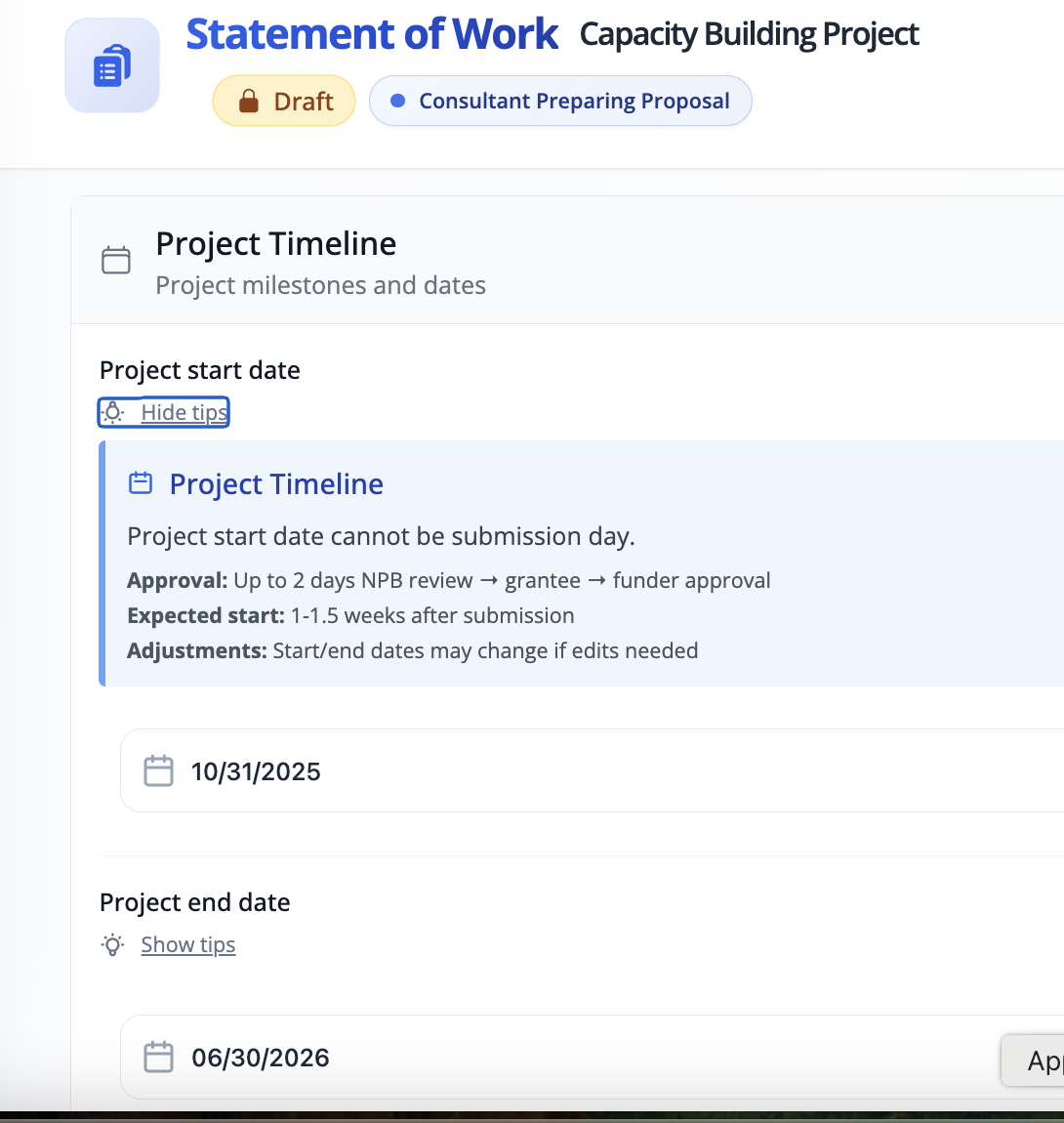
Find here the tips for better SOW - Statement of Work: Best practices. Please pay attention to the 'Show Tips' section while filling out the SOW. This section is hidden by default, but clicking it will reveal useful guidance to help the consultant create a detailed and complete proposal.
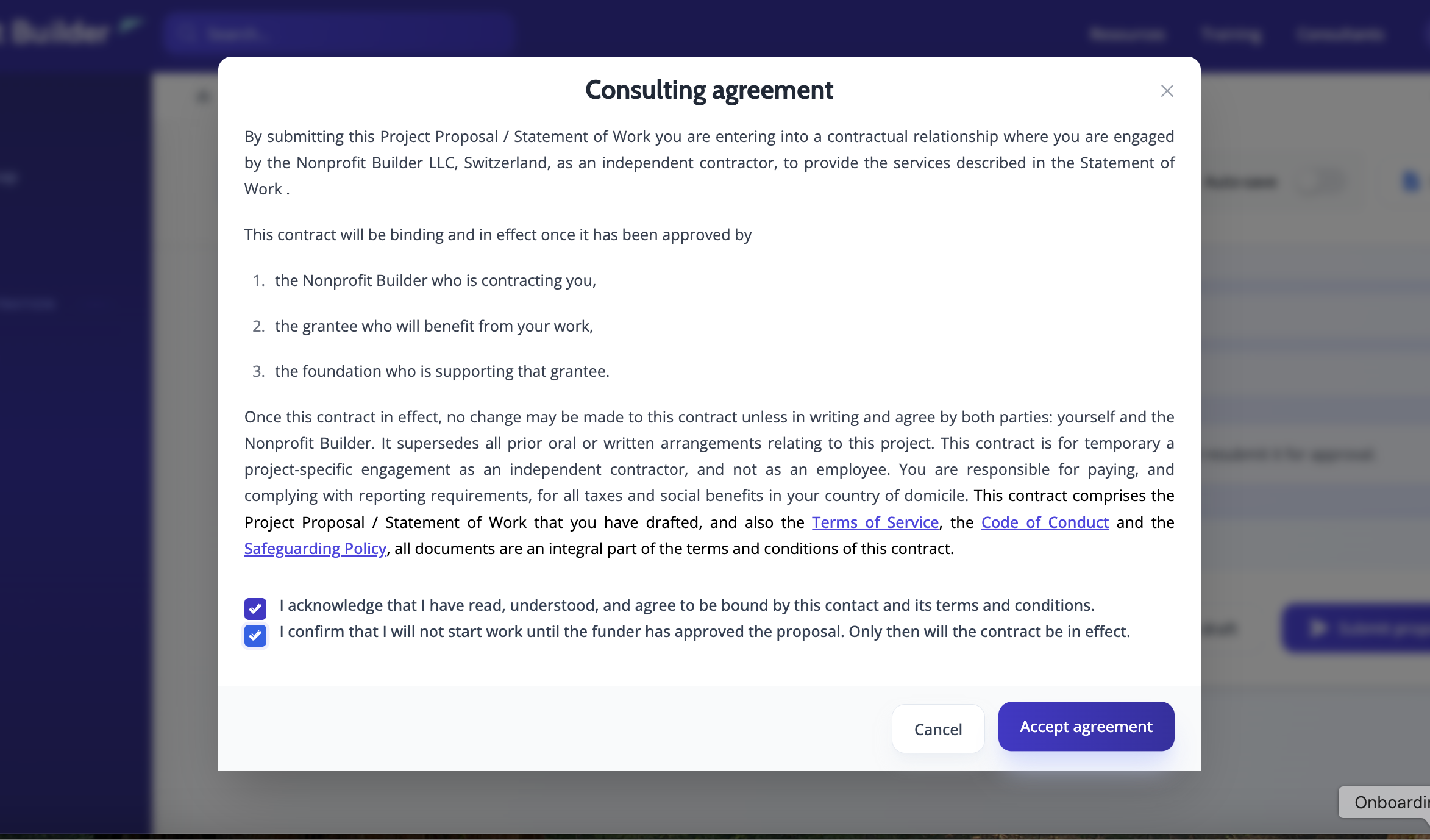
Before submitting the proposal, the consultant must review and agree to the Terms and Conditions, Code of Conduct and Consultants’ Declaration on Safeguarding. The Statement of Work (SOW) constitutes an agreement between the Nonprofit Builder and the consultant, with the grantee being the direct beneficiary of the services.
No specific action is required from the consultant at this moment; the link to the Terms and Conditions and other required consent documents, will be provided directly during the proposal preparation phase.
However, should the consultant wish to review these documents in advance, the Nonprofit Builder provides them below for the consultant's convenience:
Alternatively, consultants can start preparing the proposal themselves to speed up the flow.
To do this, the consultant will have to follow the following steps:
Log in to the platform.
Navigate to the Projects page.
Click the "Start preparing the proposal" button.
Fill in the necessary details.
Submit the proposal.
Proposal approval process
When the consultant submits the proposal, it enters a three-step approval process.
The proposal is first reviewed and approved by the NPB Team.
The NPB Coordinator will approve the SOW if it clearly contains details of the request and the baseline; explains the aspirational results and the methodology to achieve them; provides an hours breakdown; and demonstrates how the nonprofit team's capacity will be built after the engagement. The consultant must ensure the nonprofit organization's team dedicates sufficient time to co-create the process. Additionally, the consultant is required to provide a clear explanation of their fees, detailing the hour/day rate and how the overall project budget is composed.
If edits or additional information are required, the coordinator will request changes. In this case, the consultant must make the necessary revisions and resubmit the proposal.
Once approved by the NPB Coordinator, the proposal moves to the nonprofit organization (grantee) for their approval.
The final and most critical stage is Foundation approval. This approval secures the budget for the project.
The consultant and the grantee may only begin collaboration after the foundation has formally greenlighted the project.
The consultant must not start any work before receiving final approval from the Foundation.
If the consultant begins an engagement prior to this final approval, the Nonprofit Builder cannot guarantee or secure funds for the project. Any work started prematurely is done at the consultant's own risk. Should the foundation ultimately decline the proposal, the Nonprofit Builder is not liable for the time and resources the consultant spent, as the consultant proceeded at their own discretion.
Mid-way check ins
The Nonprofit Builder performs mid-way check-ins to monitor the progress of both the consultant and the grantee and to determine if any support is needed. The NPB team is ready to address any request the consultant may have during this process.
It is crucial that the consultant not wait until the midway check-in or the end of the engagement if an issue arises or if the grantee becomes unresponsive. The consultant should immediately inform the NPB Coordinator of any concerns so the coordinator can step in to streamline the process or gather necessary updates.
Should the project be prolonged for any reason, the consultant must agree upon a new timeline with the grantee and notify the NPB Coordinator so that the CRM records can be updated accordingly.
Completing the activity and reporting
When the project nears completion and the consultant is ready to report on the work and request payment, a few simple steps must be followed:
Log in to the platform.
Navigate to the Projects page.
Open the specific engagement.
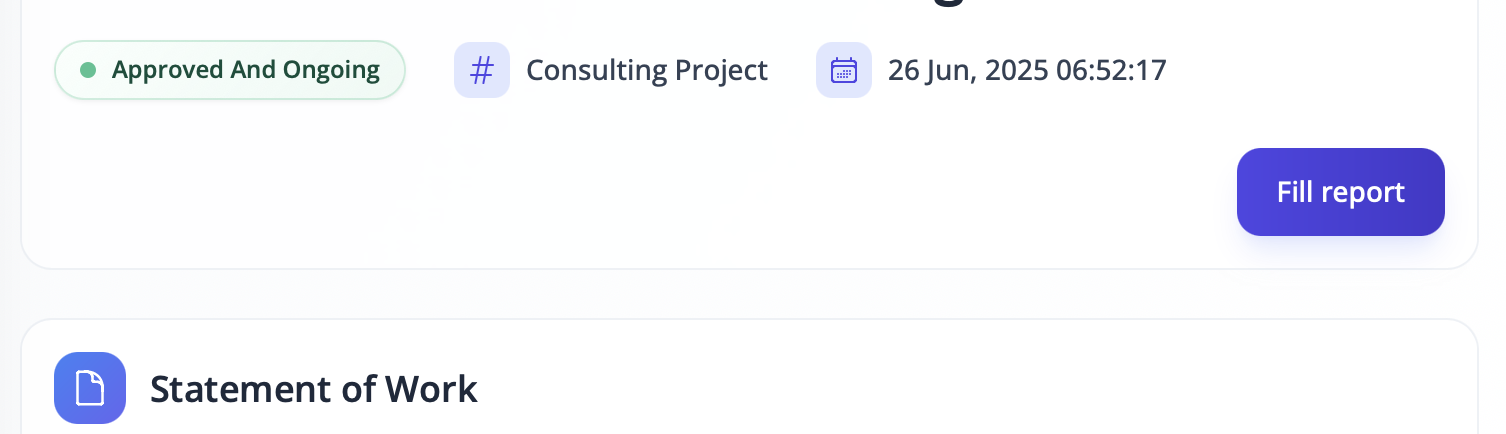
Click the "Fill report" button.
Fill in the necessary details.
Submit the report.
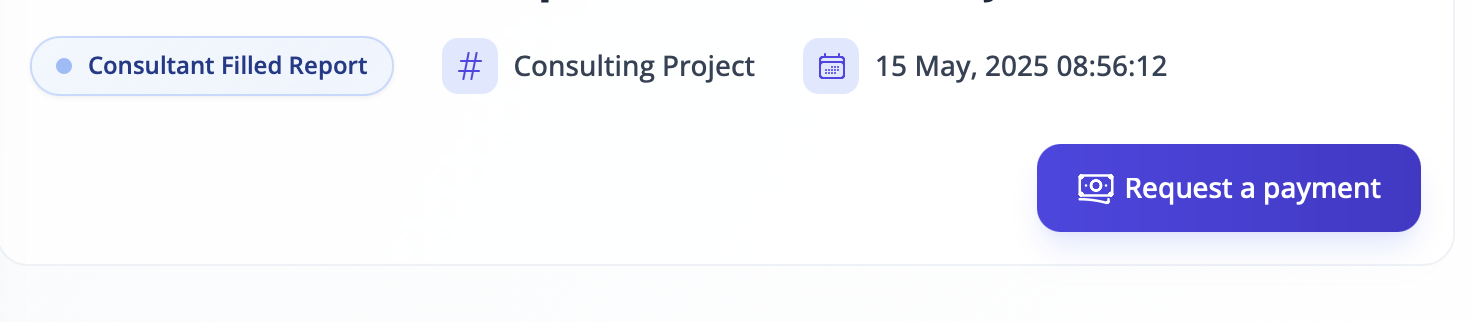
Once the report has been successfully submitted, the consultant will see the "To request payment" button become available.
In certain cases, the consultant may see the 'Request partial payment' button instead of the 'Fill report' button. These specific instances are detailed in the following section.
Requesting the payment
To request payment, the consultant should click the "Request payment" button and fill in the required details.
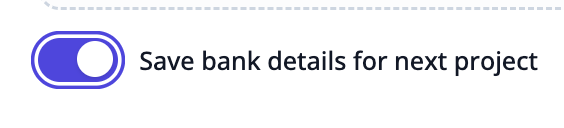
The consultant has the option to save their bank details for use in future projects. This information is confidential and is securely stored in private repositories on AWS storage. The consultant can edit their bank details at any time if changes occur.
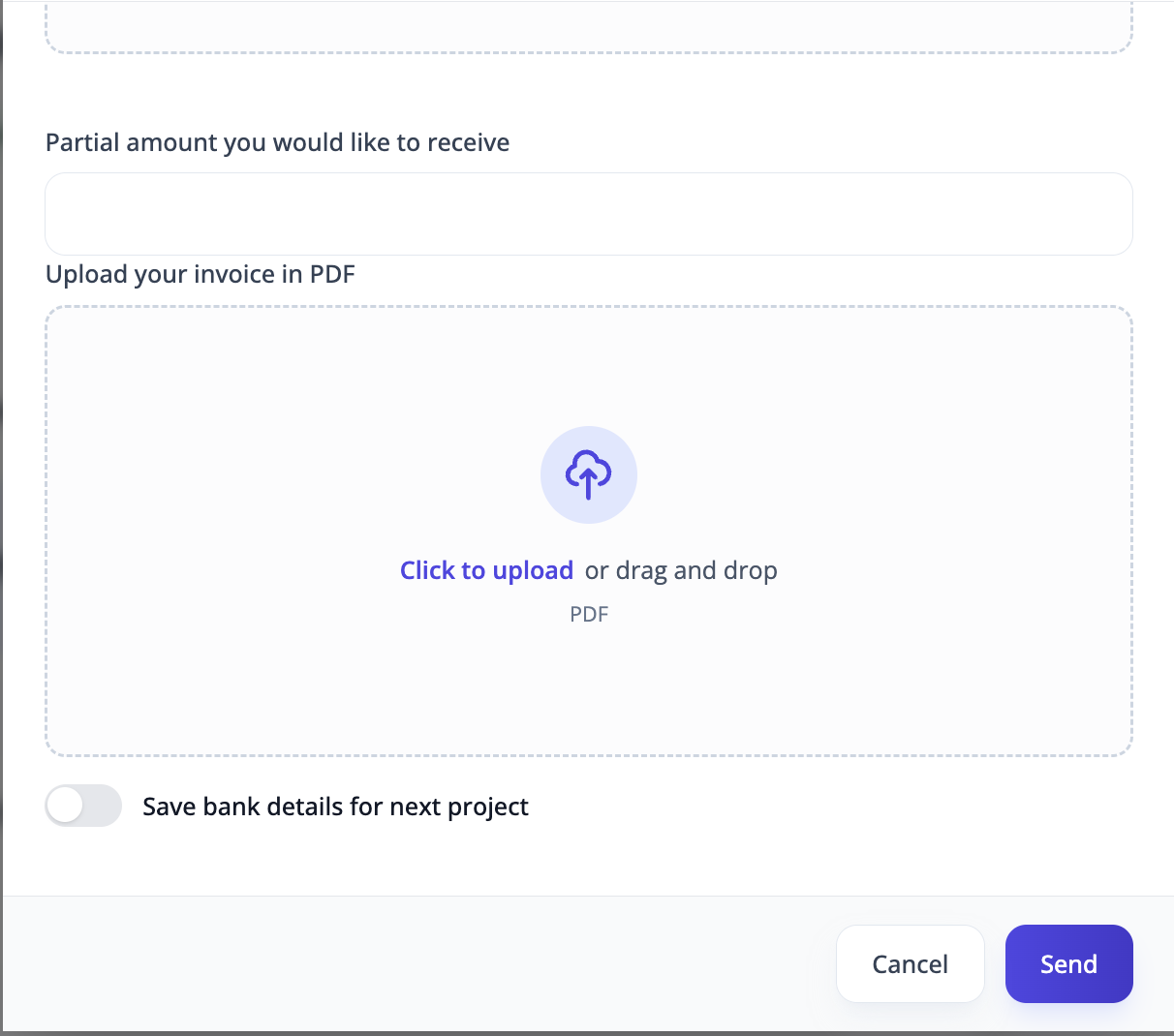 |  |
Important: before requesting payment, the consultant must prepare a PDF version of their invoice, as it must be uploaded with the payment request.
Bank instructions for the international wire transfers may also be added/attached for smooth processing.
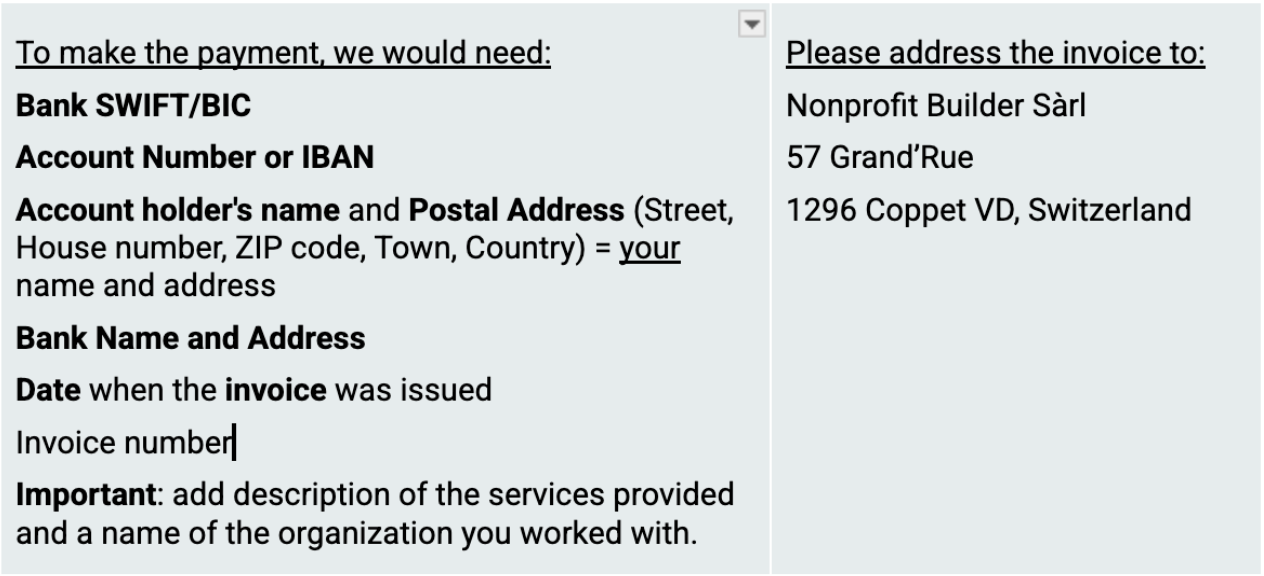
Please refer to the following guide for the necessary details to include in the invoice and avoid payment delays: Instructions for the Invoice.
Partial payment is possible for projects with a duration longer than six months and a total budget exceeding €6,000/$6,000.
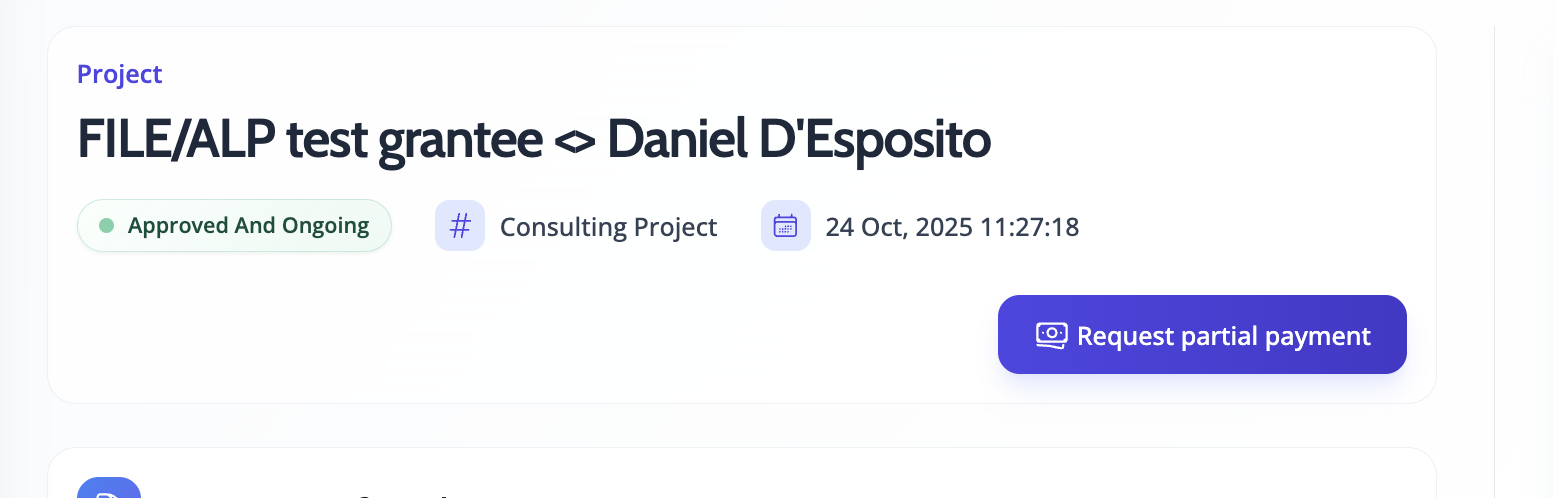
In this instance, the NPB suggests a 50/50 payment model. Because the engagement is still in progress, the Consultant will see the 'Request partial payment' button instead of the 'Fill report' button.
50% of the invoice is paid upon the completion of 50% of the total work.
The remaining 50% is paid upon the completion of the entire project.
For additional details on this process, the consultant may contact their designated NPB team representative.
Please note that a report is not requested when the consultant submits the first request for partial payment, as the work will still be in progress. The full project report will only be requested at the time of the final payment request.
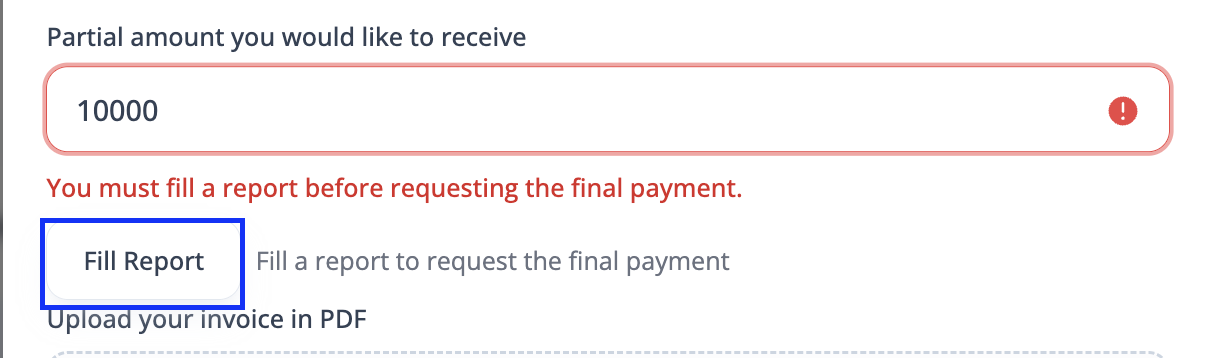
The consultant’s report will be visible to the NPB team and the Sponsoring Foundation. Visibility to the nonprofit organization is conditional: the report is shared only if the consultant ticks the consent box. To withhold the report from the nonprofit organization, the consultant must un-tick the box.

However, the consultant must still attach a PDF version of the invoice for the services provided during the first half of the project to the partial payment request.
All payment requests are processed within a few business days. The NPB team can provide a proof of payment upon request.
Contact us for any questions
Should the consultant require assistance or have any questions regarding the platform, the engagement process, or policy details, they should contact the NPB team. The consultant may reach out directly to their contact person or send an email to support@nonprofitbuilder.org. This ensures all inquiries are addressed promptly and routed to the appropriate support personnel.
Other
Introducing your colleague
Consultants may refer colleagues to the platform if they believe those individuals would be an excellent addition to the NPB expert pool. As the NPB collaborates with exceptional global foundations and amazing nonprofits to create positive and meaningful shifts in the world, ideal invitees must possess proven experience in the nonprofit sector, demonstrate a high degree of dedication, and be devoted to consulting rather than holding a full-time job.
However, the Nonprofit Builder cannot guarantee a specific number of engagements for any consultant. The volume of work is entirely dependent on the requests of the nonprofit organizations, who remain in the driving seat. The number of engagements also relies on the quality of the consultant's profile (ensuring grantees clearly understand the services and support available), as well as geographical and cultural peculiarities, with some countries being more active than others.
Published/unpublished feature
Consultant profiles are visible to all NPB's partner foundations, who may reach out directly for support (alongside with the nonprofit organizations). Therefore, the NPB team strongly emphasizes the importance of an explicit and detailed profile.
Unfortunately, some consultants keep their profiles empty or too scarce, which prevents foundations and nonprofits from understanding the services and expertise available, therefore they do not engage with these consultants.
Designated NPB team members will contact the consultant up to three times with a request to expand their profile details. If the profile remains empty after the third reminder, the NPB team reserves the right to unpublish the expert's profile until further notice from the consultant.
The NPB understands that this may occur for various reasons. The consultant is always welcome to contact the NPB team to have their profile reactivated and to elaborate on their details when their situation changes.
This unpublishing feature may also be applied if a consultant is fully booked and cannot take on any new projects for an extended period.
The NPB team is currently developing a CRM feature that will allow consultants to directly manage their availability status on their profile. This update will be announced separately.